Transform raw data intoactionable insights
Ingest files or plain tables, apply reproducible AI transformations, build visualizations, and publish dashboards with unlisted share links — all without writing SQL.
Customer Profiles — Spend Report
customer_profiles v1 · 100 rows · AI-enriched
Customers
100
12 columns
Top city
Cape Coast
by avg spend
Positive feedback
62%
Sentiment Analysis
Avg Annual_Spend by City
Feedback sentiment
- Positive62%
- Neutral23%
- Negative15%
A complete analytics workflow
Everything you need for ingestion → transformation → visualization → sharing, with an AI analyst that answers in charts and reports.
Ask a question. Get the chart, the report and the dataset.
Type what you want to know. Ask Lytics queries your data, shows its working, and drafts the visuals for you. Every number comes from your own data, never from the model.
- Ask in plain EnglishQuestion up to 5 datasets at once and see every query the AI ran to get the answer.
- Text to visualizationAnswers come with chart drafts. Keep the ones you like in your chart library.
- Reports from a conversationTurn the answer into a full report with charts, figures and a written summary, ready to edit.
- New datasets, on your say-soSave a result as a dataset that rebuilds when its source refreshes. Nothing is saved until you confirm.
- You decide what the AI seesSchema-only mode shares column names and totals, never individual rows.
Transform data into insights
One workspace from the first upload to the report your stakeholders open.
Bring your data in
Upload CSV, Excel or JSON files, start a plain table, or connect PostgreSQL and MySQL.
AI transforms, previewed first
Run sentiment, categories, themes, entities or summaries over a text column into a new one.
| feedback | sentiment |
|---|---|
| Checkout was quick and easy | Positive |
| Delivery took two weeks | Negative |
| Staff in Accra were helpful | Positive |
| Prices are okay | Neutral |
Preview first — nothing is written until you apply it.
Charts that build themselves up
Pick a chart type, map your columns, and reuse the visualization in any report.
Growth trend
Publish with one link
Drag charts, text and cards into a report, then share it with an unlisted link.
Unlisted — only people with the link can open it.
Go further with your data
Understand a dataset before you chart it, clean whole columns at once, combine tables, and put reports on autopilot.
Know your data at a glance
Every dataset gets a profile: types, gaps and spread per column, plus the issues worth fixing.
region
6
distinct values
discount_code
65%
empty
- 'EU' and 'Europe' look like the same valueregion Fix with AI
- Dates are written in 3 different formatssignup_date Fix with AI
- 212 rows are exact duplicateswhole dataset Fix with AI
- 65% of values are emptydiscount_code
Fix a whole column in one go
Merge duplicate values, standardise formats or remove duplicate rows. Review the AI's plan before it touches anything.
Write the plan
1 credit
Apply to every row
Free
Combine datasets
Join orders to customers and see the match rate before you commit.
orders
customers
82% of orders matched
Warns you before duplicate keys inflate your totals.
Calculated fields
Add columns like profit margin with a simple formula. They update whenever your data does.
Divide by zero? You get an empty cell, not an error.
Filters and AI summaries
One filter bar slices every chart in a report. An AI summary explains what changed.
AI summary
Revenue grew 12% in Q2, led by Europe[1].
[1] Q2 revenue $184k: every figure is cited
Start from a template
Sales, marketing, feedback and SaaS reports, mapped to your columns in minutes.
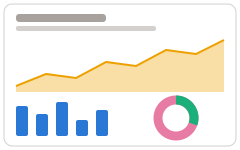
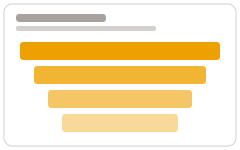
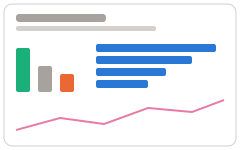
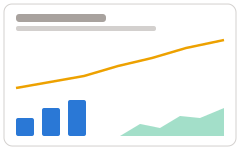
- 1Pick a template
- 2Choose a dataset
- 3Match fields to your columns
- ✓A finished report, ready to edit
Put reports on autopilot
Keep data fresh, send reports on a schedule, embed them, or export them.
Scheduled refresh
Database re-syncs daily at 06:00; AI clean-ups replay on the new rows
Report delivery
Every Monday 09:00 to 3 teammates
Embed
Only on sites you allow, e.g. intranet.acme.com
Export
Whole reports as PNG or PDF
From dataset to decision
A simple flow that matches the way teams actually work.
- 01
Connect
Upload a CSV/Excel file or start with a plain table. Everything stays team-scoped.
- 02
Transform
Clean and enrich your dataset. AI transforms are previewed and persisted with lineage.
- 03
Visualize & share
Build charts and dashboards. Publish an unlisted share link for stakeholders.
Plans that scale with your team
Every plan includes the full product. What changes is how much of it you can use.
- 1 user
- 5 file uploads
- 1 API connection
- 1 database connection
- 2 plain tables
- 3 visualizations
- 1 report
- 1,000 rows per dataset
- 100 AI credits
- 5 users
- 20 file uploads
- 3 API connections
- 2 database connections
- 10 plain tables
- 15 visualizations
- 5 reports
- 5,000 rows per dataset
- 1,000 AI credits
- 15 users
- 100 file uploads
- 10 API connections
- 5 database connections
- 50 plain tables
- 50 visualizations
- 20 reports
- 50,000 rows per dataset
- 5,000 AI credits
- 100 users
- Unlimited file uploads
- Unlimited API connections
- Unlimited database connections
- Unlimited plain tables
- Unlimited visualizations
- Unlimited reports
- 200,000 rows per dataset
- 20,000 AI credits
Prices in Ghanaian cedi. You can change plan or cancel at any time.
Ready to ship better decisions?
Create a team, load your first dataset, and publish a dashboard in minutes.